

Private USB-C video player for iPhone & iPad
Your videos. Your drive.
Nothing else.
Play videos straight from a USB-C drive on your iPhone or iPad — offline and view-only. Your files never leave the drive.
Download on the App Store — $0.99 Requires iOS/iPadOS 26 or later and a USB-C capable deviceSee it in action
Built for viewing. Only viewing.
Straight from the drive
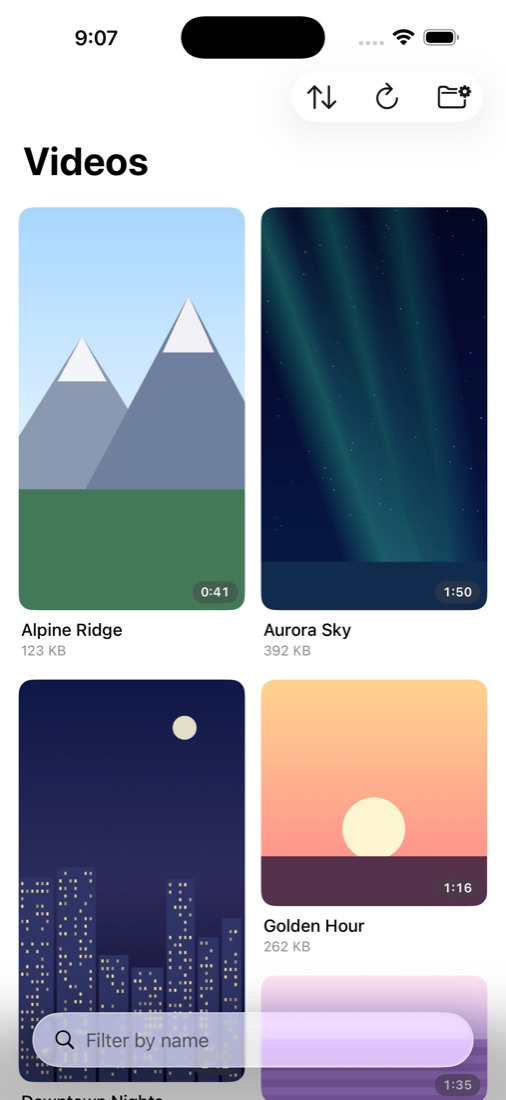
Browse and play videos on any connected USB-C drive. Nothing is imported, nothing is duplicated, and the app never writes to your drive.
Locked behind biometrics
Face ID, Touch ID, or your passcode gates every launch. The app also hides its content in the app switcher and pauses when screen recording is detected.
A beautiful library
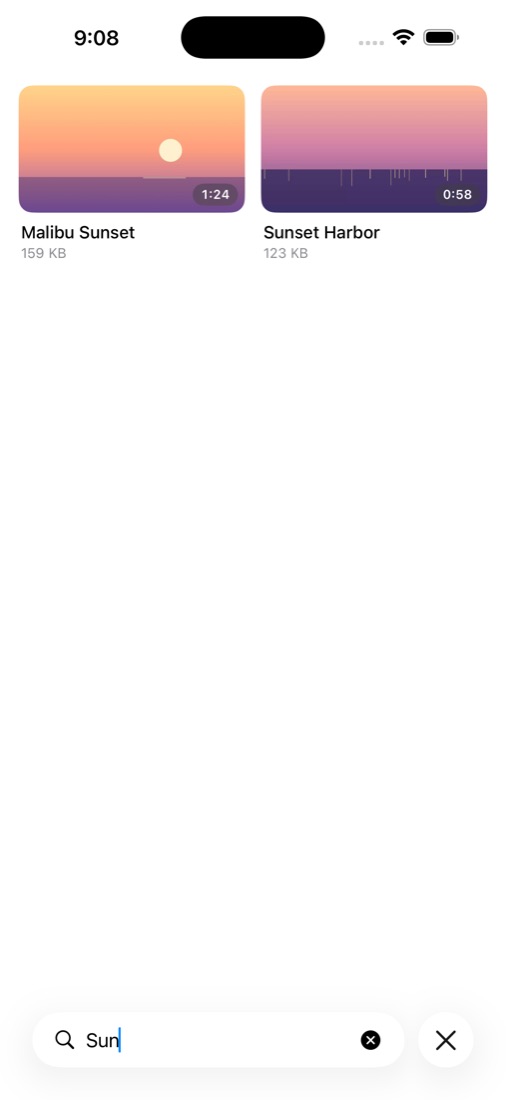
Portrait and landscape thumbnails pack together in an adaptive mosaic, organized by your drive's own folders. Sort by name or date, and filter as you type.
Proof, not promises
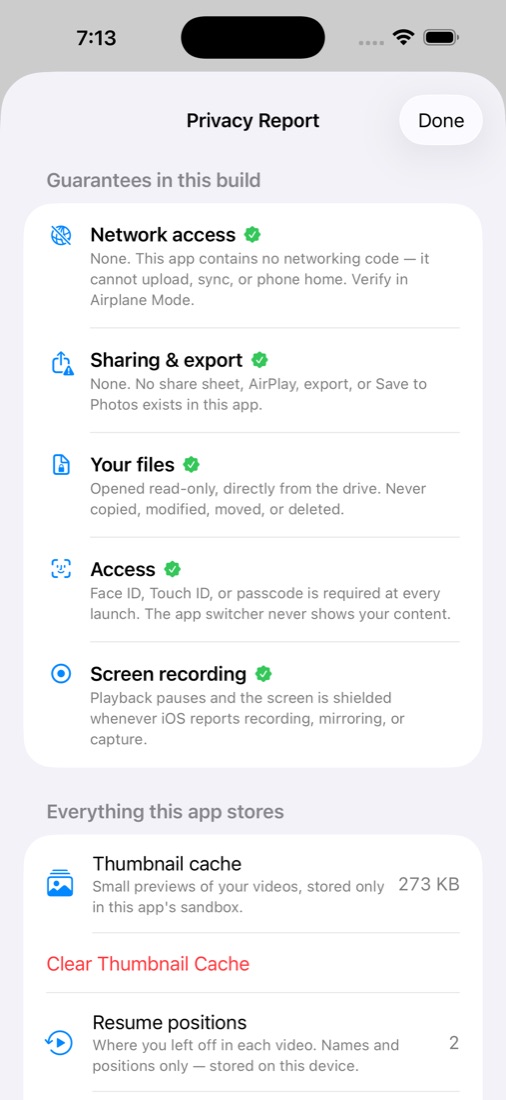
A built-in Privacy Report shows every guarantee in the build and everything the app stores — inspectable, and erasable with one tap.
A serious player
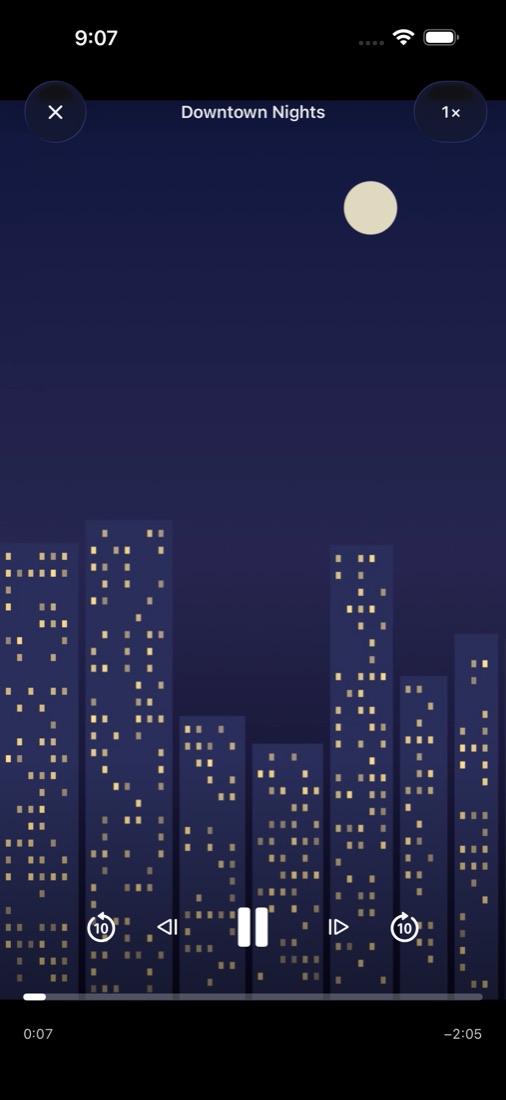
Filmstrip scrubbing, frame stepping, 0.25×–5× speed with pitch-corrected audio, hold-for-2×, and pinch-to-zoom with pan — all in a clean, distraction-free player.
Gestures everywhere
Swipe between videos, swipe down to dismiss, double-tap to skip, tap for controls. Everything is where your thumb expects it.
Picks up where you left off
Every video remembers your place, thumbnails show your progress, and when one video ends the next plays automatically.
MP4, M4V, and MOV
Plays H.264 and HEVC (H.265) video from USB-C drives, SSDs, and flash drives, as well as folders in the Files app.
What it never does
No sharing
There is no share sheet, no AirPlay, no export, and no "Save to Photos". Your videos stay on your drive, full stop.
No network
The app contains zero networking code. No analytics, no telemetry, no accounts, no ads — it works identically in Airplane Mode.
No deleting
The app opens your files read-only. It cannot modify, move, or delete anything — accidents included.
Frequently asked questions
Can I play videos from a USB drive on my iPhone or iPad?
Yes. On any iPhone or iPad with a USB-C port, plug in a USB-C drive (or a USB drive with a USB-C adapter), open Secure Video Player, and choose the drive. Videos play directly from the drive without being imported or copied.
Which video formats are supported?
MP4, M4V, and MOV files encoded with H.264 or HEVC (H.265), from USB-C drives and from folders in the Files app.
Does it work offline or in Airplane Mode?
Yes. The app contains no networking code at all, so it works identically with Wi-Fi and cellular turned off. There are no accounts, analytics, ads, or cloud features.
Does the app copy, upload, or change my videos?
No. Files are opened read-only, straight from the drive. Nothing is imported, uploaded, modified, moved, or deleted. Unplug the drive and your footage leaves with it.
Can it block screenshots?
No app on iOS can block system screenshots — we'd rather tell you than pretend. Secure Video Player does pause playback when screen recording is detected and hides its content in the app switcher.
What do I need to use it?
iOS or iPadOS 26 or later. Playing from an external drive requires an iPhone or iPad with a USB-C port.